






eMart v6.8 – Multivendor Food, On-demand, eCommerce, Parcel, Taxi Booking, Car Rent App with Admin & Web
Download all 3,934+ scripts with direct NVMe mirrors & zero wait time.
⭐ Unlock VIP All-Access ($9.99/mo)Live Demo
Admin & user logins
Setup Guide
MySQL, .env & deploy
Error Fixes
500 & SQL packet limits
Hello!
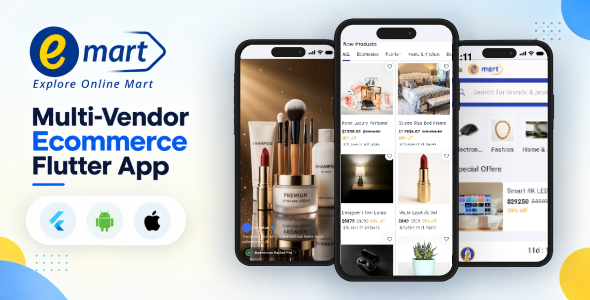
eMart | Multi-Vendor Ecommerce Flutter App is built for people who love to shop online. It connects directly to the eMart platform and brings the complete store experience to mobile, with a UI designed around how users browse, discover, and purchase products.
Alongside standard ecommerce functionality, eMart includes a short-video feed for promotional reels and advertisements, helping users discover products through engaging, scroll-friendly content.
Whether you’re looking for a deal, reordering a favorite product, or simply browsing, eMart provides a fast, focused, and convenient shopping experience.
Authorization for App Demo
Username: [email protected]
Password: 12345678
Required Web Version
This mobile app is designed to work with the web version of the eMart system and cannot run independently. Before using the mobile application, you must purchase and install the web version. The app communicates with the web system through the REST API.
Web Version: eMart | Laravel Multi-Vendor eCommerce Advanced CMS
Important — Third-Party Services & Additional Costs
eMart can connect to optional third-party services to provide certain features. These services are operated by external providers, are not part of this item, and are not included in the purchase price. You must use your own account with the applicable provider, and additional usage or transaction fees may apply:
- AI Features: AI Summarize and smart replies require an API key from an AI provider such as OpenAI. Usage is billed directly by the provider.
- Payment Gateways: Stripe, Razorpay, PayPal, Paystack, and Flutterwave require your own merchant account. Transaction fees are charged by the respective gateway.
This item does not include API keys, credits, or subscriptions for third-party services. Any third-party service costs are the responsibility of the buyer.
Key Features
Shopping & Product Browsing
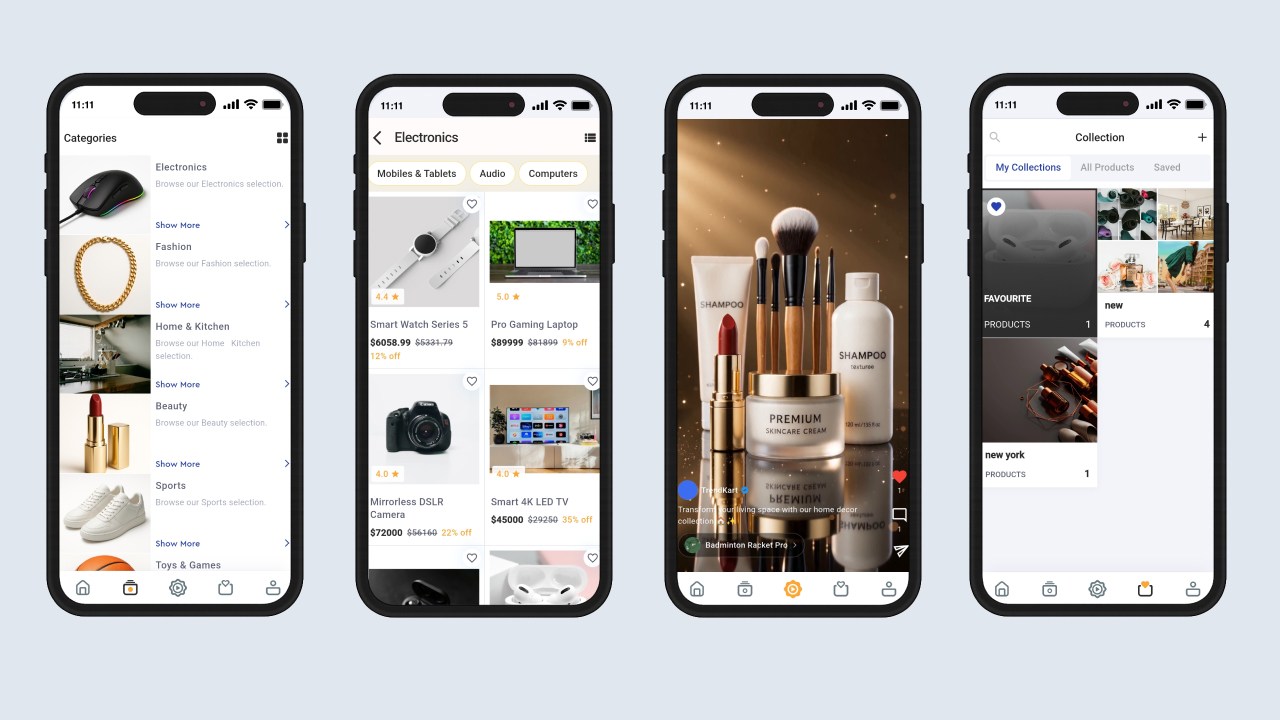
- Product Listing: Browse products in a clean, responsive grid layout.
- Category Browsing: Explore products through multi-level categories and subcategories.
- Featured Categories & Products: Display featured categories and products on the home page.
- Brand Listing: Browse products belonging to a specific brand.
- Product Search: Search products with type-ahead suggestions and access recent searches.
- Product Image Gallery: Browse product images with swipe gestures and pinch-to-zoom.
- Product Variations: Select variants such as size and color, with pricing updated according to the selected variant.
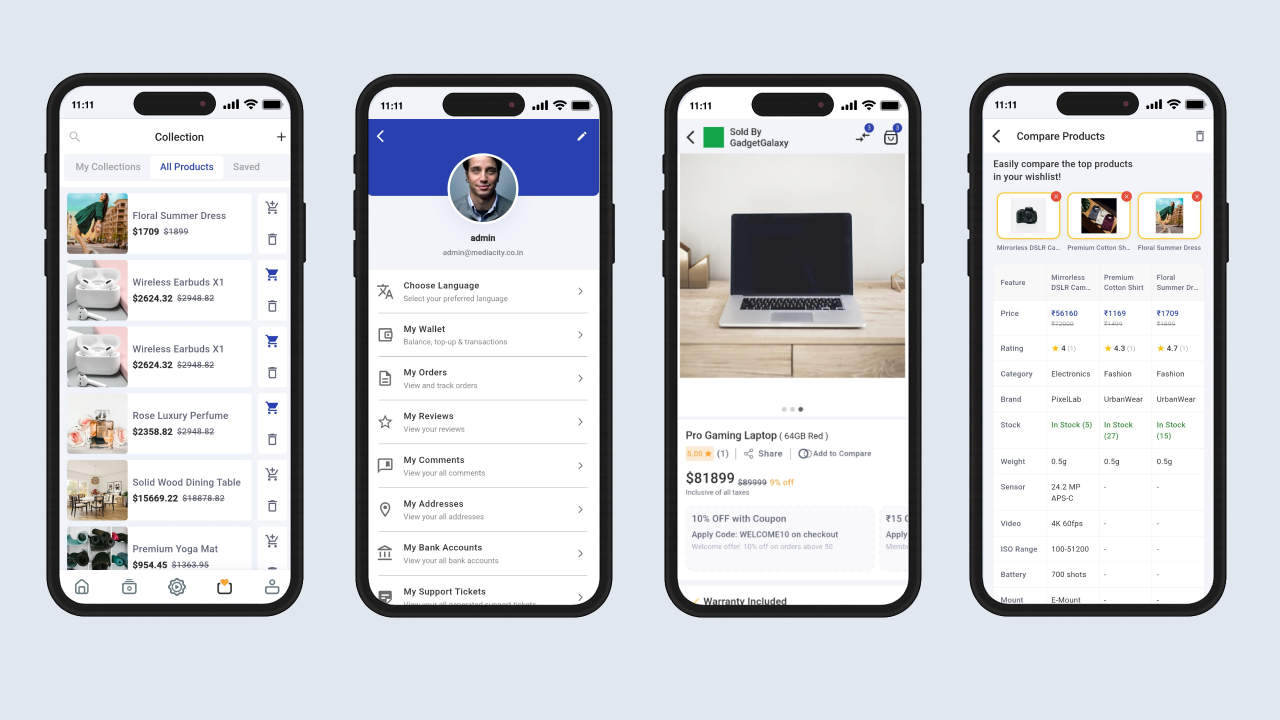
- Product Comparison: Compare multiple products side by side on a dedicated screen.
- Product Reviews & Ratings: Read and submit product reviews and star ratings.
- Product Comments: Read and post comments on products.
- Related Products: Discover related and recommended products from the product detail page.
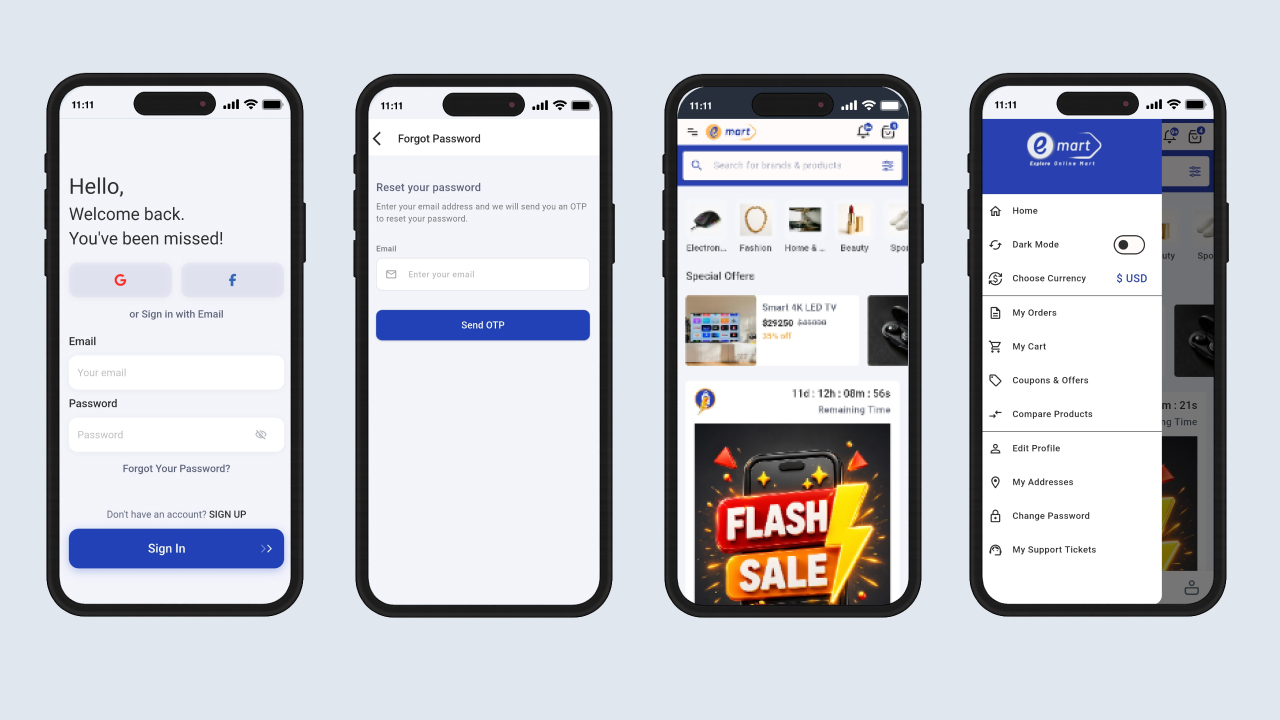
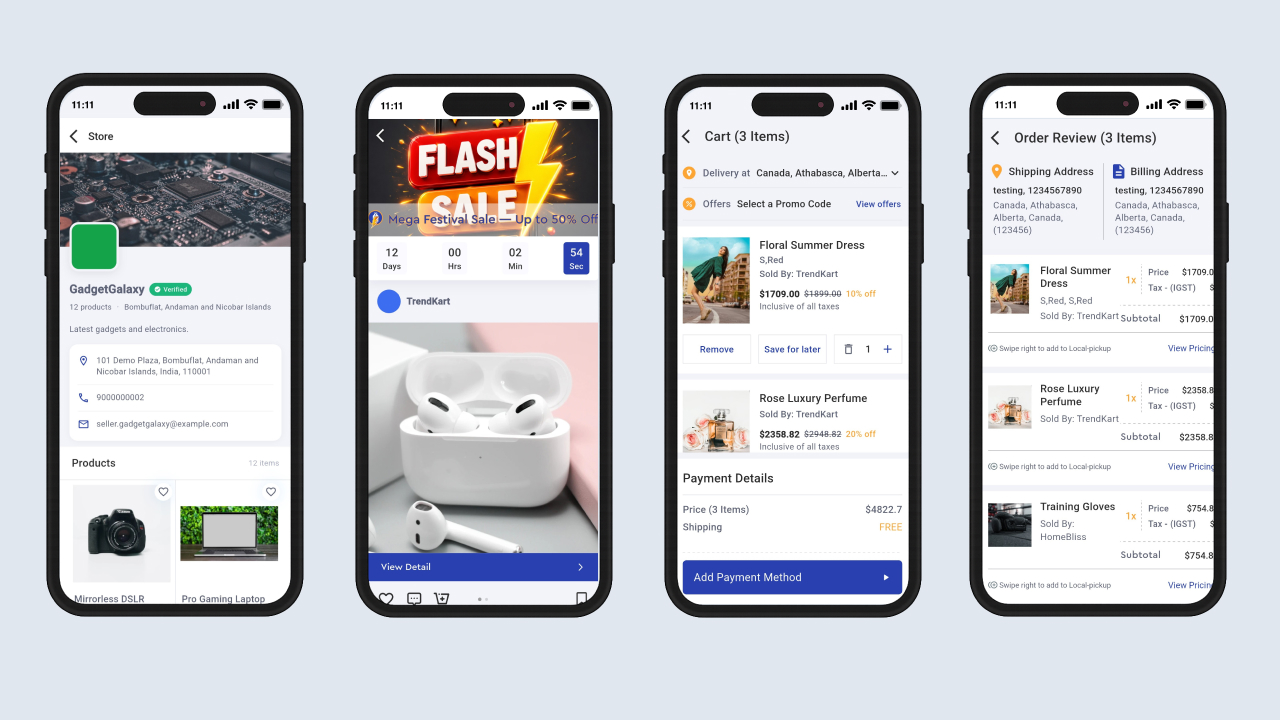
- Hot Deals & Flash Deals: Browse dedicated deal pages with countdown timers for time-limited offers.
- Pincode City Lookup: Enter a pincode on the product page to automatically fetch the matching delivery city.
- Seller Store Page: Open a seller’s storefront from a product or short video and browse their available products.
- Dynamic Home Page: Display sliders, banners, category sections, and promotional layouts on the home screen.
Cart, Checkout & Orders
- Shopping Cart: Add, update, and remove products while viewing live totals.
- Buy Now: Skip the cart and proceed directly to checkout for an individual product.
- Quick Checkout: Streamlined cart, address, payment, and order-success flow.
- Multiple Shipping Addresses: Save and select from multiple shipping addresses during checkout.
- Billing Address Management: Save and select separate billing addresses.
- Cash on Delivery: Pay in cash when the order is delivered.
- Coupon List & Apply: Browse available coupons and apply them during checkout.
- Order Review: Review order details before completing payment.
- Order Success Screen: Confirmation screen displayed after a successful payment.
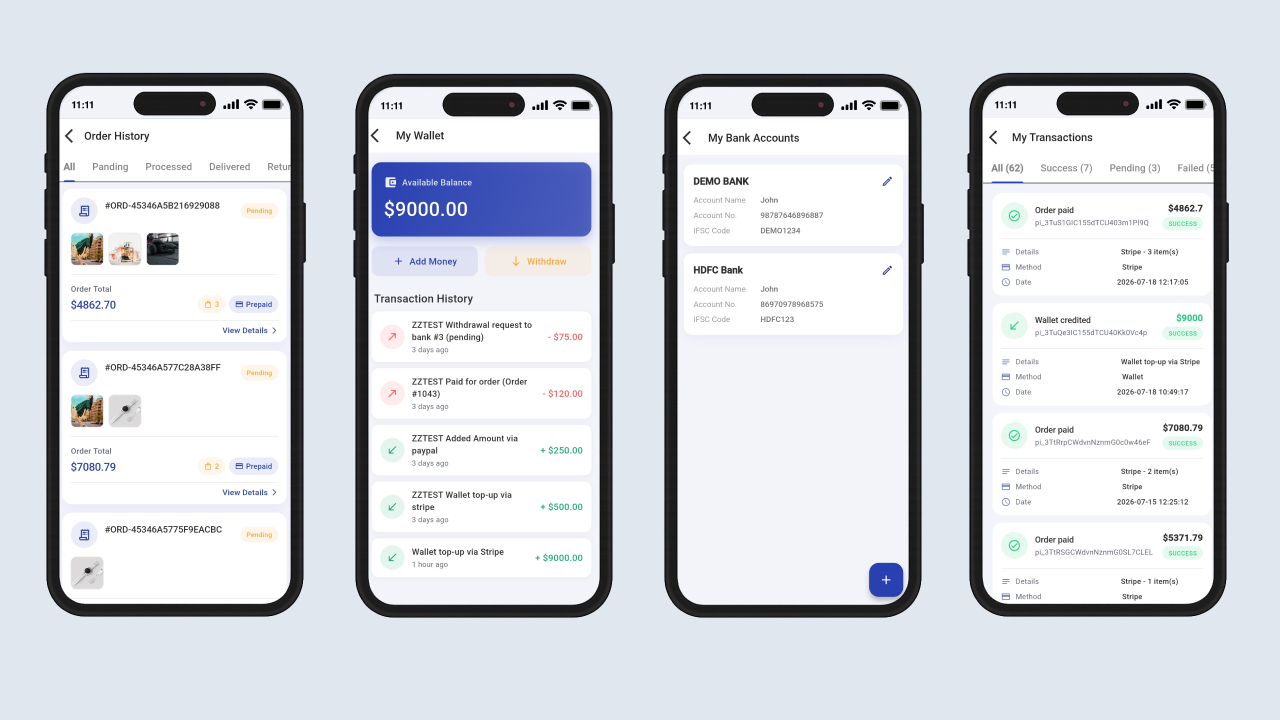
- My Orders: View complete order history and status information.
- Order Detail: View item details, totals, payment information, and delivery address.
- Order Tracking: View courier information, tracking links, and expected delivery dates.
- Failed Transactions: Review unsuccessful payment attempts from a dedicated screen.
- My Reviews: View and manage reviews submitted for purchased products.
Payments & Wallet
- Stripe: Card payments with 3D Secure support.
- PayPal: Secure payments through a PayPal account.
- Razorpay: Payment support through the Razorpay gateway.
- Paytm: Payments through Paytm wallet and UPI.
- Paystack: Payment gateway integration through Paystack.
- Flutterwave: Payment gateway integration through Flutterwave.
- Cash on Delivery: Allow customers to pay when their order is delivered.
- Multiple Currencies: Select a preferred currency for the shopping experience.
- Persistent Currency Selection: Remember the selected currency between app launches.
- Localized Price Formatting: Display prices using the appropriate number and currency format for the selected locale.
- Digital Wallet: Top up and pay using an in-app rechargeable wallet, with wallet balance and transaction history available inside the app.
- Bank Details: Add and manage bank account details for refunds and payouts.
User Account & Authentication
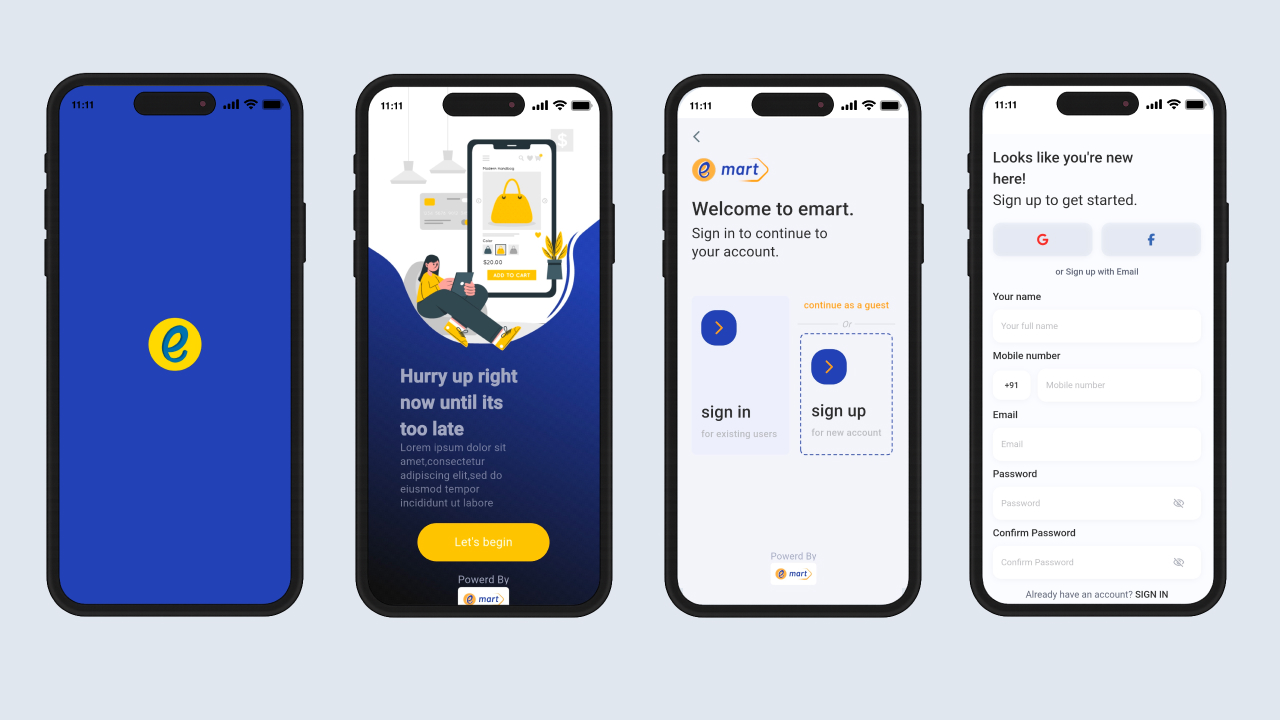
- Email Login & Registration: Sign up and sign in using an email address and password, with email validation and masked password fields.
- User Registration: Create an account with name, email, mobile number, password, and confirmation password, including password visibility controls.
- Google Sign-In: Sign in using a Google account with a single tap.
- Auto Google Re-Login: Returning Google users can be signed in automatically when the app launches.
- Facebook Login: Sign in through Facebook with email and public profile permissions.
- Welcome Choice Screen: First-time users can choose between logging in and continuing as a guest.
- Guest Mode: Browse the app without an account and sign in only when accessing protected areas such as cart, orders, wallet, notifications, and profile.
- Forgot Password (OTP): Reset a password through an email-based OTP flow.
- Change Password: Update the account password securely from inside the app.
- Edit Profile: Update name, contact details, and profile picture.
- Country Code Picker: Select a country dial code when entering a phone number.
- Session Persistence: Store the authentication token locally so users can remain signed in between app launches.
- Wishlist Collections: Save favorite products into organized wishlist collections.
- Store Page: Access a dedicated storefront page for the selected store.
- Support Tickets: Create and track support requests directly from the app.
- Logout: End the current session and clear local user data.
Promotions & Deals
- Flash Deals: Time-limited offers with countdown timers.
- Hot Deals: Dedicated listings for selected hot deals.
- Advertised Products: Display sponsored and promoted products on the home page.
- Dynamic Slider: Promotional sliders displayed on the home screen.
- eMart Shorts: Reels-style short videos for product discovery and promotions.
- Stories: Instagram-style stories for promotions and announcements.
- Insta Feed: Instagram-like feed surface for engaging promotional content.
Localization & Language
- Multi-Language Support: Available in English, Hindi, Arabic, Spanish, and French.
- RTL Support: Right-to-left layouts for Arabic.
- Persistent Language Selection: Remember the selected language between app launches.
- Language Choice Screen: Change the app language at any time.
- Locale-Aware Formatting: Format dates, numbers, and currency according to the selected locale.
Notifications
- In-App Notification Center: View notifications related to orders, offers, and other updates inside the app.
- Unread Tracking: Track read and unread status for notifications.
- Order Status Updates: Order status changes are displayed in the notification list and order detail screen.
Content & Media
- Blog Reading: Read the latest blogs from the home tab and open complete blog details.
- Video Player: Play product and promotional videos directly inside the app.
- Image Picker: Upload images from the camera or gallery for profile and review content.
- Native Share: Share product links with other apps using the native share sheet.
- Stories Player: View full-screen stories with automatic progression.
App Performance & Experience
- Cross-Platform Android & iOS: Build Android and iOS applications from a single Flutter codebase.
- Cached Images: Cache product, banner, and category images for faster repeat loading.
- Shimmer & Skeleton Loaders: Display polished placeholder interfaces while content is loading.
- Lazy Loading & Pagination: Load long product, review, notification, and wallet transaction lists incrementally.
- Smooth Animations: Fluid transitions and animated onboarding experience.
- Custom Branded Fonts & Icons: Custom typography and iconography for a consistent visual identity.
- Responsive Layouts: Adaptive layouts and grids for different phone screen sizes.
- Modern Material UI: Material Design components for a consistent interface across Android and iOS.
- System-Aware UI Chrome: Status bar and navigation bar styling that matches the application theme.
- Custom Launcher Icons: Branded launcher icons for Android and iOS.
- Light & Dark Theme: Switch between built-in light and dark themes.
- Fast Network Layer: Lightweight HTTPS API communication for efficient data loading.
- Toast Feedback: Quick inline feedback for user actions.
What’s Included
- Full Flutter source code (Dart) for both Android and iOS.
- Clean, well-structured project following clean architecture.
- Placeholder configuration files for Firebase, Facebook Login, and Google Sign-In.
- Step-by-step documentation covering installation, configuration, build and release, troubleshooting, and FAQs.
Detailed setup instructions are included in the documentation, covering REST API base URL configuration, Firebase setup, social login keys, and payment gateway configuration. This app is a client for the eMart web platform; server installation, database setup, and environment configuration are covered in the documentation for the web version.
Note: Media used in the previews, including images, icons, and logos, is not included with this item. You must contact the respective authors to obtain permission if you wish to use such media in your commercial or non-commercial projects. Please read the help file for additional details after purchasing the script.
Protected Download Center & Releases
Protected source code releases, direct storage, and verified mirrors.
Unlock Verified Source Code & Database Package
Get direct high-speed NVMe storage access, complete untouched code, database dumps, and documentation with 0 seconds wait time.