






Legacy v9.1 – White label WordPress Admin Theme – Dashboard Interface

Download all 3,934+ scripts with direct NVMe mirrors & zero wait time.
⭐ Unlock VIP All-Access ($9.99/mo)Live Demo
Admin & user logins
Setup Guide
MySQL, .env & deploy
Error Fixes
500 & SQL packet limits
Check our online demo: Live Demo. Login with Username: demo and Password: demo
Legacy Admin is most advanced and elegant White Label WordPress Admin Theme in marketplace.
Along with White Label Branding features, It comes with 20 Elegant themes and gives you an option to Create your own custom theme. You can also control full appearance of Admin Menu, Top Bar, Buttons, Content Boxes, Typography, Forms, Text and background colors, logo and so on…
Legacy Admin is compatible with both LTR and RTL modes so can be used for any language. Legacy admin is also Multisite compatible.
Admin Menu Management Addon is again outstanding feature to use. You can easily Rename,Rearrange menu and submenu items, Change menu icons, Enable/Disable Menu and submenu items.
Legacy admin comes with Fully customizable Beautiful Login Screen theme. Also Control Top bar links, Customize Footer, Plugin access permissions, Login page customizing options etc. features help you to design web project (in WordPress) for your clients with your own company branding.
Plugin Features:
White Label Branding
- Customize Admin Top Bar (All links and CSS Styles)
- Customize Footer
- Customize Login Section completly. Inbuilt theme, also create your own.
- Customize Look and Feel to your Branding needs.
- Fully customizable Admin Menu.
- Custom Logo and Favicon for your Own Branding in Admin Panel.
Menu Management
- Rename Menu and Sub Menu items.
- Rearrange/ Reorder Menu and Submenu with Drag and drop interface
- Custom Menu Icons
- Enable / Disable Menu and SubMenu Items
Multisite Compatible
- Ready to use on a multisite network.
- Easily install on the multisite network.
- Customize for Network Activate mode or Individual Sites on network.
Colors, Themes and Style
- 20 Awesome Inbuilt Themes
- Multi color, Dark colored, Light Colored Themes
- Create your own custom theme
- Ability to edit elegant themes (using import themes file option)
- Fully customize look and feel of Admin Panel using vast variety of available options.
- See Screenshots for all available options.
Login Screen
- Beautiful Login Screen Theme integrated.
- Custom Logo for Login Page
- Fully customize look and feel with vast range of integrated styling options
- Show / Hide URL links like “Back to Site” and “Forgot Password”
- Control colors, opacity, background, fonts etc. of any element on login page.
Styling Options
- Pick a inbuilt theme or create your own.
- Form customizing CSS options panel
- Buttons customizing options (Primary and Secondary button options. Control Hover colors also.)
- Logo and Favicon options
- Update images from external URL. To control images on all your client websites from one place only.
- Enable / Disabled Page Loader
- Fully Customizing CSS of Main Admin Menu
- Control Admin Top bar styling
- Content Box Styling Options
- Primary Color of theme option
- General Layouts CSS customizations
- and much much more…
Admin Top Bar
- Control All Admin Top bar links.
- Customize CSS options as per need.
- Available in 2 different styles (Fullwidth and Partial Width)
- Remove unwanted links using node IDs
- Show Logout link in top bar
- Enable / Disable Top bar (both on front and back ends)
- Change User Greeting (Howdy) to desired text.
Typography
- 650+ Google Fonts integrated
- Multi Fonts support. Eg: Different font for heading, menu, body text.
- Use default computer fonts as back Up fonts for Google Fonts.
- Advanced Typography options to control font-size, line height, font weight, font subset etc.
Admin Footer
- Custom Text in Footer.
- Show / Hide WordPress version info from footer
Import / Export
- Easy import and export settings panel
- Transfer settings to any other site also
- Ability to edit inbuilt themes by importing settings.
Other
- Smooth Scrolling integrated
- Page Loader integration
- Black Box Coding Standards
- Detailed Documentation
- Admin Menu Editor Pro plugin compatibility added.
- Cross Browser compatible
- Fast and Dedicated Support
- More themes will be added regularly
- Compatible with almost all of the wordpress Plugins & Themes.
- Ability to add your custom CSS code too
- Edit Footer text
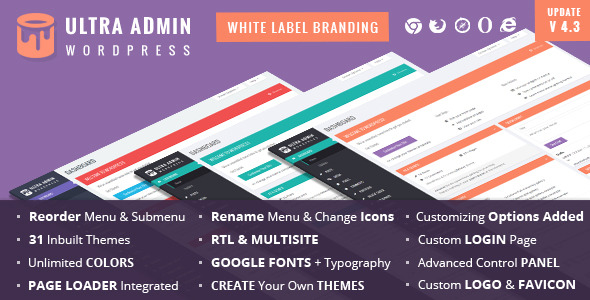
You are also welcome to try our another similar plugins Ultra WordPress Admin – White Label Admin theme
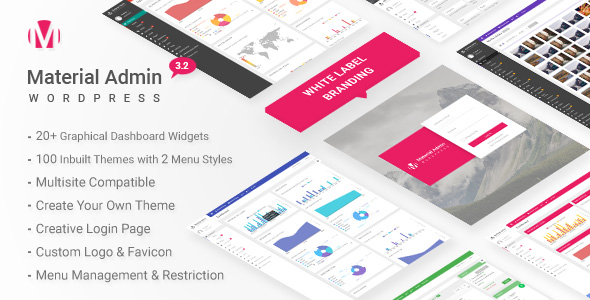
Material – White Label WordPress Admin Theme
Updates:
Version 9.3 – 29th Mar 2022
- UPDATERemoved unused code
- UPDATEWordPress 5.9.x compatible
- UPDATEImproved CSS for various elements
- UPDATEImproved Welcome Panel CSS
- UPDATERemoved version info from plugin settings panel.
- UPDATEImproved dynamic CSS generation.
- UPDATEImproved Admin top bar user info dropdown section.
- UPDATEImproved Login page CSS settings.
- UPDATEImproved Admin Left Menu CSS.
Version 9.2 – 16th Aug 2021
- UPDATERemoved unused code
- UPDATEMenu settings page strings escaped for translation
- UPDATEPlugin settings page strings escaped for translation
- UPDATEReplaced .click(), .bind() etc. events with .on() events
- UPDATEEscapsed all dynamic data
- UPDATEWordpress 5.8.x compatible
Version 9.1 – 6th March 2021
- UPDATEFixed Content Box Styling
- UPDATEWordPress 5.6.x compatible
- UPDATEFixed count number styling in admin menu
- UPDATEFixed Menu management rename option.
- UPDATEImproved CSS for various elements
- NEWNew branding option added as Email Settings tab. Can update From Email Address and From Name for outgoing email notifications.
- UPDATEFixed heading font issue in certain elements
- UPDATESelect box form element styling fixed
- UPDATEFixed hero button styling
- UPDATEDashboard widgets move order styling added.
- UPDATEAdmin top bar styling options removed. Restored to single style.
- UPDATEUpdated inbuilt color theme CSS files
- UPDATEFixed admin top bar and left menu overlapping issue
Version 8.1 – 26 July 2020
- UPDATEPHP 7.4 version compatibility
- UPDATEUpdated smooth scroll plugin to latest version
- UPDATEFixed login_headertitle deprecated warning on login page.
- UPDATEFixed implode() warning in plugin fonts library
- NEWAdd CSS variables info in plugin options panel for dynamic and better custom css codes.
- UPDATEImproved CSS
- UPDATEFixed wordpress add new plugin page layouts
- UPDATERegenarated and Minified CSS files
Version 7.2 – 04th May 2020
- NEWCSS variables implemented in styles. Now css variables can be implemented in custom css option panel.
- UPDATEmenu management string tags from names
- FIXEDmenu managemnet – showing counts for plugins, comments, and updates
- UPDATEelementor compatibility
- UPDATEgutenberg compatibilty
- UPDATEImproved css
- UPDATEWordpress 5.4.x compatiblility
- FIXEDcontinue 2 php warning for php 7.3.x versions.
- UPDATERegenerated external plugin css
Version 7.1 – 21st January 2020
- UPDATEWordpress 5.3.x compatible
- UPDATEImproved login page css and improvements
- UPDATEMinify login page css
- NEWExtra settings custom css for login page
- UPDATEImproved plugin css
- UPDATERegenerated and Minified plugin main css files
Version 6.3 – 09th June 2019
- UPDATEWordpress 5.2.x compatible
- UPDATEImproved Login Page style
- UPDATERegenerate Minified CSS files
- UPDATEImproved Collapse button style
- UPDATEImproved Gutenberg style settings
- UPDATEImproved overall style
- UPDATEImproved Documentation
- UPDATERegenerate all inbuilt CSS files
Version 6.2 – 09th Jan 2019
- UPDATEImproved CSS throughout plugin
- UPDATEWordPress 5.x compatible
- UPDATEImproved my sites page for multisite network
- UPDATENew Gutenberg editor compatible
- UPDATEOptions panel compatibility with wordpress 5.x
- UPDATERegenerate inbuilt theme CSS files
- UPDATERegenerate minimized css plugin file
- FIXEDsizeof() warning under legacy-functions.php
- UPDATECommon Language text domain set as legacy_framework
Version 6.1 – 02nd June 2018
- NEWFeature to disable admin theme in admin panel and use menu management independently.
- NEWEnable feature to edit login page settings for prebuilt/inbuilt themes
- UPDATEImproved widgets styling
- UPDATEimroved themes styling
- UPDATEimproved customize theme module styling
- UPDATEimproved dashboard widgets styling
- UPDATEimproved add new plugin listing page styling
- UPDATEWordPress 4.9.x and later compatible
- UPDATEimproved color picker styling
- UPDATEimproved form elements styling
- UPDATEimproved collapse menu button styling
- UPDATERegenarated minified plugin css for faster site loading
- UPDATEMenu management module separate stylesheet added
- UPDATEMinified all the css files for faster loading
- NEWMinified external plugin css file
- NEWMinified admin menu editor pro compatibility css file
- NEWMinified wordfence plugin css file
- NEWMinified login page plugin css file
- NEWMinified menu management module css file
- NEWMinified page loader css file
Version 5.4 – 05th November 2017
- UPDATESorted Illegal string offset warning messages in PHP 7.1
Version 5.3 – 06th September 2017
- UPDATERemoved option to disable login screen styling from options panel. This option is now controlled from plugin permissions page.
- UPDATEImproved css
- UPDATEWordPress 4.8.1 compatible
Version 5.2 – 4th May 2017
- UPDATEWordpress 4.7.4 version compatible.
- UPDATEImproved Menu Management code
- NEWFeature to edit logo in prebuilt themes
- UPDATEImproved CSS
- UPDATERegenerated Inbuilt theme files
Version 5.1 – 11th November 2016
- UPDATERemoved WordPress from Admin Page title
- UPDATEWoocommerce compatibility fixed
- UPDATEImproved CSS settings for Category tabs on add/edit post pages
- UPDATEImproved select boxes styling
- UPDATEdata table row action buttons improved
- NEWMinified plugin CSS file for faster speed and reduce page load time
- UPDATERegenarated inbuilt theme files
- UPDATEfaster google fonts loading by using latin version only
- UPDATEdefault system fonts recommended by wordpress loaded in plugin fonts
- UPDATEwordpress 4.6.1 compatible
Version 4.4 – 13th September 2016
- UPDATEMod Rewrite / 404 options page issue solved.
- UPDATEImproved CSS on plugin upload file page.
- UPDATEAdded a minified version of CSS for faster page loading.
- UPDATERemoved page overlay effect on page loader for faster processing.
- UPDATEWordPress 4.6 compatible
Version 4.3 – 14th April 2016
- UPDATELogin page option settings taking effect for WordPress 4.5
- UPDATEWordPress 4.5 plugin compatibility
- FIXEDPost/Page editor Top Bar Fixed Position on vertical scrolling
- UPDATELogin Page Logo issues fixed with WordPress 4.5
Version 4.2 – 23rd March 2016
- NEWReset menu to original on deactivating and reactivating the plugin.
- FIXEDContent Box header background color issue with latest WordPress version.
Version 4.1 – 26th January 2016
- UPDATEImproved CSS throughout the theme
Version 4.0 – 18th December 2015
- UPDATEFixed Woocommerce Admin Menu Link Error
- UPDATEImproved CSS stylesheet
- UPDATEWordPress 4.4 Compatible
- UPDATEOption to restore plugin permissions on deactivating plugin on network activated plugin and single site plugin
- UPDATEImproved Responsive CSS
- UPDATERegenerate all inbuilt theme CSS files
- UPDATEImproved login page Responsiveness
Version 3.1 – 19th September 2015
- UPDATEWordPress 4.3 version compatibility
- UPDATEImproved styling of buttons throughout plugin
- NEWOption to show/hide Screen Options Tab and Help tab in upper right corner of admin panel
- UPDATEFixed CSS related issues with some well known plugins
Version 2.3 – 20th July 15
- NEWFeature to Reset all plugin permissions to original on deactivating plugin
- UPDATEAdded some CSS overrides as suggested by customers
- UPDATEMobile view CSS updates
Version 2.2 – 25th June 15
- UPDATEDisabled AJAX SAVE in redux framework, to avoid error on few servers “There was problem with your action. Please try again”.
Version 2.1 – 24th June 2015
- NEW5 new inbuilt themes
- UPDATEChange font style for body text for better clarity and legibility
- NEWAuto Update plugin ability using envato-automatic-plugin-update and envato-wordpress-toolkit
- FIXEDJetpack plugin compatibility and CSS issues
- NEWNew theme import files
- FIXEDMinor CSS tweaks
Version 2.0 – 4th June 2015
- FIXEDRedux Framework conflict resolved with some themes using Redux Framework as plugin
- FIXEDLogo position corrected when Admin Topbar is disabled
- UPDATEFooter version notification for the redux framework disabled. Needed for white label branding feature.
Version 1.0 – Initial Release
Protected Download Center & Releases
Protected source code releases, direct storage, and verified mirrors.
Unlock Verified Source Code & Database Package
Get direct high-speed NVMe storage access, complete untouched code, database dumps, and documentation with 0 seconds wait time.