


PDF Scanner v1.0 – SwiftUI Text Recognition Document Scanner App
Download all 3,934+ scripts with direct NVMe mirrors & zero wait time.
⭐ Unlock VIP All-Access ($9.99/mo)Live Demo
Admin & user logins
Setup Guide
MySQL, .env & deploy
Error Fixes
500 & SQL packet limits
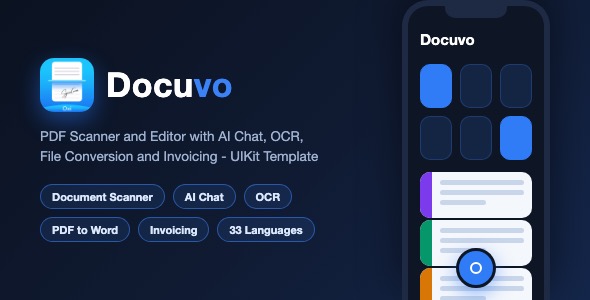
Docuvo – PDF Scanner and Editor iOS Template
Docuvo is a complete, production-grade iOS PDF scanner and editor template built with Swift and UIKit. It ships with a document scanner, a full PDF library with folders, annotations, OCR, AI chat assistant, PDF to Word / Excel / PowerPoint conversion, watermark and page number tools, an invoicing module with Stripe Connect, subscription paywalls with StoreKit 2 fallback, and 33 built-in localizations.
Demo Instructions
- This template has NO login and NO demo credentials – there is no user account system to sign into.
- The app builds and runs out of the box. Core features (scanning, library, folders, viewer, annotations, watermark, page numbers, rotate, extract pages, invoicing UI) work fully on device / simulator without any configuration.
- Cloud-connected features are disabled until the buyer inserts their own keys: AI chat (your own OpenAI-compatible API endpoint and token), online PDF conversion (iLovePDF account), push/analytics (your own Firebase project), paywalls (your own Adapty or StoreKit products). The app runs safely with placeholders – it will not crash, the connected features simply stay inactive until configured.
- Full step-by-step configuration is documented in the included documentation.html (Configuration section).
Everything the App Does
- Check: Document scanner with camera capture and edge detection flow
- Check: PDF library with folders, search, multi-select, sort (date, name, size), grid and list display modes
- Check: Trash / basket with restore and permanent delete, empty-trash and per-item actions
- Check: Fast PDF viewer with page counter, share, rename and print support
- Check: Sign documents – draw your signature and place it on any page
- Check: Add text and add photo annotations to PDF pages
- Check: OCR – recognize text from documents and photos
- Check: Rotate PDF, extract pages, watermark and page number tools
- Check: Online PDF toolbox – merge, split, compress, protect, convert (iLovePDF integration)
- Check: PDF to Word, PDF to Excel and PDF to PowerPoint conversion entry points
- Check: AI Chat assistant – chat with an OpenAI-compatible backend, markdown answers, animated typing
- Check: AI Helper – per-document AI assistance with category picker
- Check: Invoicing module – create and send invoices, Stripe Connect onboarding, payments dashboard
- Check: QR code scanner tool
- Check: AR distance measure and object counting tools
- Check: Onboarding flow (remote Adapty onboarding with built-in offline fallback)
- Check: Subscription paywalls with Adapty and a pure StoreKit 2 fallback paywall
- Check: Free message limiter, review prompt, share-the-app, rate-the-app
- Check: Settings screen with in-app language switcher, support mail, terms and privacy links
- Check: Custom animated tab bar with a central scan button and soft haptics
- Check: 33 localizations out of the box (English, German, French, Spanish, Italian, Portuguese, Arabic, Hebrew, Hindi, Japanese, Korean, Chinese, and more)
- Check: Empty states, loading states and skeleton placeholders throughout
Technology
- Language: Swift 5, UIKit (programmatic UI, no storyboards except the launch screen)
- Minimum iOS: 17.0 – Xcode 16 or newer
- Persistence: CoreData (two-model versioned store) plus UserDefaults
- PDF rendering: PDFKit and UIGraphicsPDFRenderer
- Layout: SnapKit; cropping: TOCropViewController; markdown rendering: MarkdownView
- Subscriptions: Adapty SDK with StoreKit 2 fallback (StoreKitConfig.storekit included for testing)
- Analytics / remote config: Firebase (Analytics, Crashlytics-ready, Remote Config)
- Dependencies via Swift Package Manager – no CocoaPods, no Carthage
- Universal deployment target settings for iPhone and iPad, portrait orientation
What the Buyer Gets
- Full Xcode source code of the Docuvo PDF Scanner and Editor app
- documentation.html – illustrated setup guide with screenshots (run it, change bundle ID, rename the app, replace the icon, re-skin the theme in one file, configure keys, submit to the App Store)
- All 33 localization files
- StoreKit configuration file for local subscription testing
- Preview screenshots and the source icon
- Clean project: no leftover build artifacts, no user data, professional bundle ID placeholder
Development Disclosure
Portions of this template’s source code were developed with AI-assisted tools. All code has been reviewed, tested and prepared for release by the author.
Please Note
This is a source code template, not a compiled app. You need Xcode knowledge (or a developer) to build, customize and publish it. An Apple Developer account (99 USD per year) is required to run on real devices and submit to the App Store. Cloud-connected services (AI backend, online conversion, analytics, paywalls) require free or paid accounts with those providers – all keys are placeholders and documented in the Configuration section of documentation.html.
Protected Download Center & Releases
Protected source code releases, direct storage, and verified mirrors.
Unlock Verified Source Code & Database Package
Get direct high-speed NVMe storage access, complete untouched code, database dumps, and documentation with 0 seconds wait time.